
writing sites that i think aren't total wastes of time
for your novel drafting process :)

If you have ever had the fortune of talking with me personally (about writing, of course), then you’re probably well aware of my disdain for many of the current writing “resources” out there. You don’t need to stalk those writing tip influencers or pay for a fancy word processor to write a good book. As long as you have Word or Docs and a brain, you could theoretically write a bestseller.
This is to say that, despite the very obvious purpose of this article, overconsumption is bad, even if you are doing it virtually. Why then— you may ask— bother writing this post?
Two reasons:
I’m overwhelmed with school and need something easy to write in my spare time.
You’re probably looking for writing apps as a method of procrastinating writing and would be overconsuming even without my advice.
Therefore, I have decided to do the bare minimum and at least offer some minimal guidance on what apps/sites won’t completely waste your time, as mine has often been wasted. And, for some extra generous insights, I’ll even include a look inside my own personal insights with these NUMBER HERE recommendations.
1. Pacemaker
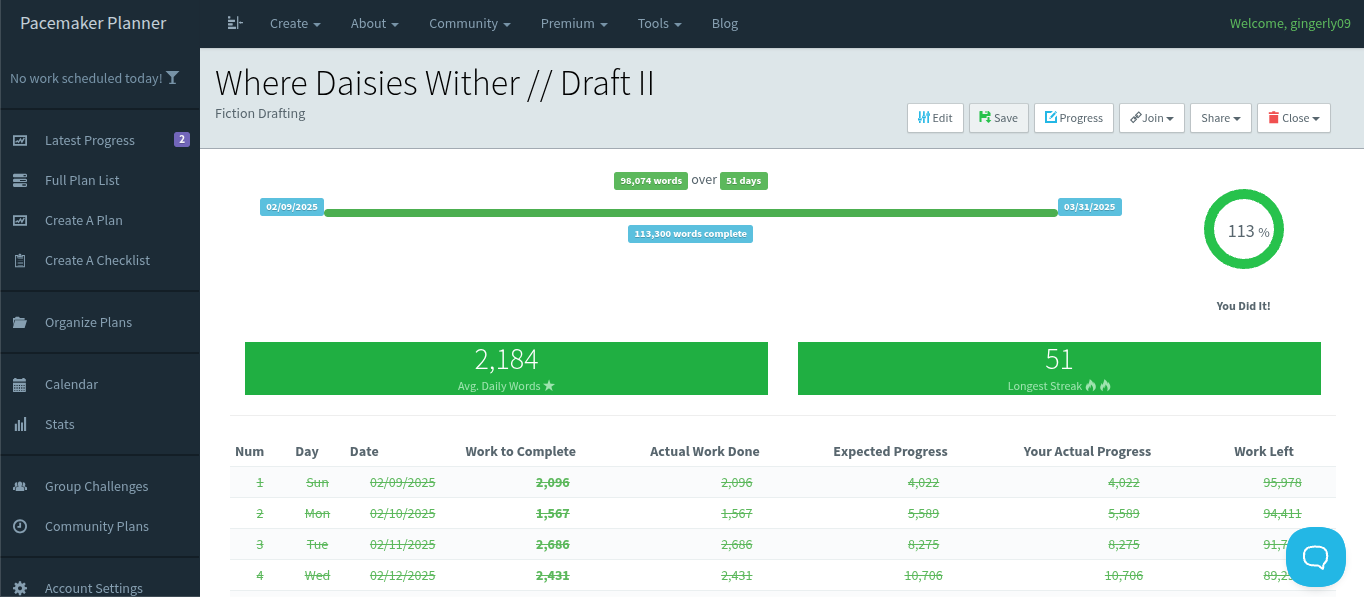
I am, unfortunately, unable to remember the circumstances of how I originally stumbled upon the masterpiece that is pacemaker, but I do generally remember that before this site, I had never religiously used anything besides Google Docs and a notebook for writing.
Upon its discovery, though, it became the first and only writer tracker I ever used, so I will go ahead and admit now that it's the only site on this app that I actually use on a daily basis. This isn’t to say that I never consult any of the other items, just that pacemaker is the only one I go out of my way to recommend to my other writer friends and use for all my full length projects.
To tell you what Pacemaker is, it’s a simple, accountability site that allows you to track progress across projects and set word/time based goals. If you’re a visual person, you can easily put it into graphic, calendar, or bar view to see your work, but I prefer it in table format which is shown in the image above.
I think the reason why I use Pacemaker is self-explanatory from the function I already explained it has, but I will discuss some of the cons of this site too. The main of which being that if you dislike other word counters, are a mood write, or simply don’t have time to write everyday, then this site is not for you and you should move along.
If you do, however, want a word tracker, then the only warnings I would give to this app is that without premium you cannot make a plan stretch longer than 60 days (hasn’t been an issue for me personally since I tend to write just over 2,000 words a day and would have to be working on a project over 120k words long for it to be a problem, but for those who write longer ventures or write less daily to meet a goal it might be) and cannot have more than two plans open for free (I just make a new account or delete an old plan to work around this).
For a quick fix to either of those problems I listed above, I think it’s around 5 dollars a month for basic premium which would let you have 5 plans open each year and have each plan last 365 days— or 7 dollars a month for premium plus, which has no limits. I haven’t bought either paid plan and don’t plan to, therefore I cannot speak on the quality of premium.
2. OneLook Dictionary and Thesaurus
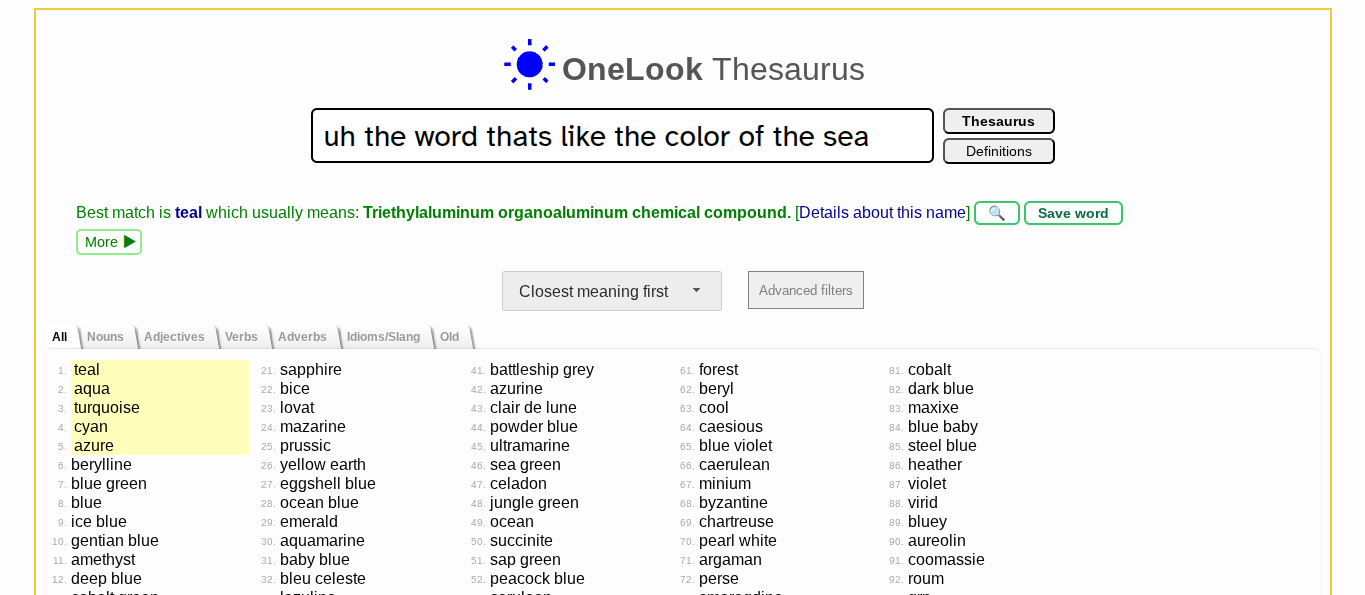
If you’re anything like me, you have neither the time nor discipline to weed your way through a paper dictionary or thesaurus when you inevitably forget the word “blue” in the middle of writing a sentence about the sea. As an alternative, I’ve tried out multiple different online thesaurus with a quick search bar of the year. After testing out about fifty of them, I can confidently tell you that all of them are, in fact, thesauruses.
I won’t lie to make OneLook out as some magical savior that’s superior to the rest, but I will say that it is the thesaurus I personally choose to use, just for its simplicity and effectiveness. It has both a mobile and desktop friendly website, can understand your incoherent word vomit, and is, in fact, a thesaurus.
If you prefer another thesaurus, I would stick with the one you’re used to. However, if you are currently just using Google to look for words (recipe for rabbit holes, by the way), trying to get them from the corners of your brain, or, worst of all, scouring through a paper thesaurus, then I would recommend OneLook.
3. Ideonomy
Before I even continue talking about what this site is, I’d like you to go ahead and click on the link, observe for a few seconds, then return to this article.
For those who actually listened to that prompt and clicked, you just went to one of the most basic, no UI websites that I take seriously. If you are wondering what exactly this site is, then I’ll gladly inform you I have no idea either (though I have a feeling from the URL that it might belong to MIT or some of its students).
All I know is that it consists of three lists— positive traits, neutral traits, and negative traits— and, while there are many character trait lists out there, this one is remarkably easy to scroll through and navigate. For that reason, when I’m stuck in the early plotting stages trying to figure out who my character is and what their flaws may be, I will eagerly consult this little gem for inspiration before drafting their DFM (desire, fear, misbelief— a character-building method I use).
Why I would love to continue this article and provide you more sites to check out for writing procrastination, I’m afraid I’ve run short of resources to recommend. You see, outside of the Notes app, Google Docs, and a pen and paper, I really don’t consistently use anything else than this list (well, besides the occasional use of a name generator). The reason being that, like I said at the beginning, there is nothing on the internet that will magically turn you into a New York Times bestseller, except maybe social media if you’re really good at marketing your writing.
Skill-wise, writing is about experience and dedication to craft. Some of the best books in history were written with no more than a pen, paper, and a passion. No Substack article or website you got off a list will replace quality if you lack that passion.
So, if you made it to the end of this article, I encourage you to close Substack and everything else (except maybe the three sites I recommended) for now. Give yourself a moment with your chosen word processing software and go write.
Love ideaonomy. This is one of the best substack writing articles I've seen. Thanks, looking forward to seeing more.
I found you through your post about trying to convince yourself you’re famous on Substack—that made me smile. This piece on writing sites is sharp and refreshingly honest. Pacemaker sounds like a practical tool, especially with the way you balance pros and cons. Subscribed—I’m looking forward to following more of your writing and insights!